chilichip CLI
chilichip is one command for everything you do with a ChiliChip console from your computer:
| Job | Command | What it does |
|---|---|---|
| Keep the console current | chilichip update |
Installs the latest loader, home screen and Bitsy player. Games and saves stay. |
| Put games on it | chilichip install game.blit |
Installs .blit games and .bitsy files over USB, no drive copying. |
| Start a game | chilichip new space-cat |
Makes a new game from the ChiliChip template. |
| Play it | chilichip run |
Builds the game and starts it on your computer or on the console. |
Run chilichip with no command to open the TUI, which does the same jobs with menus:
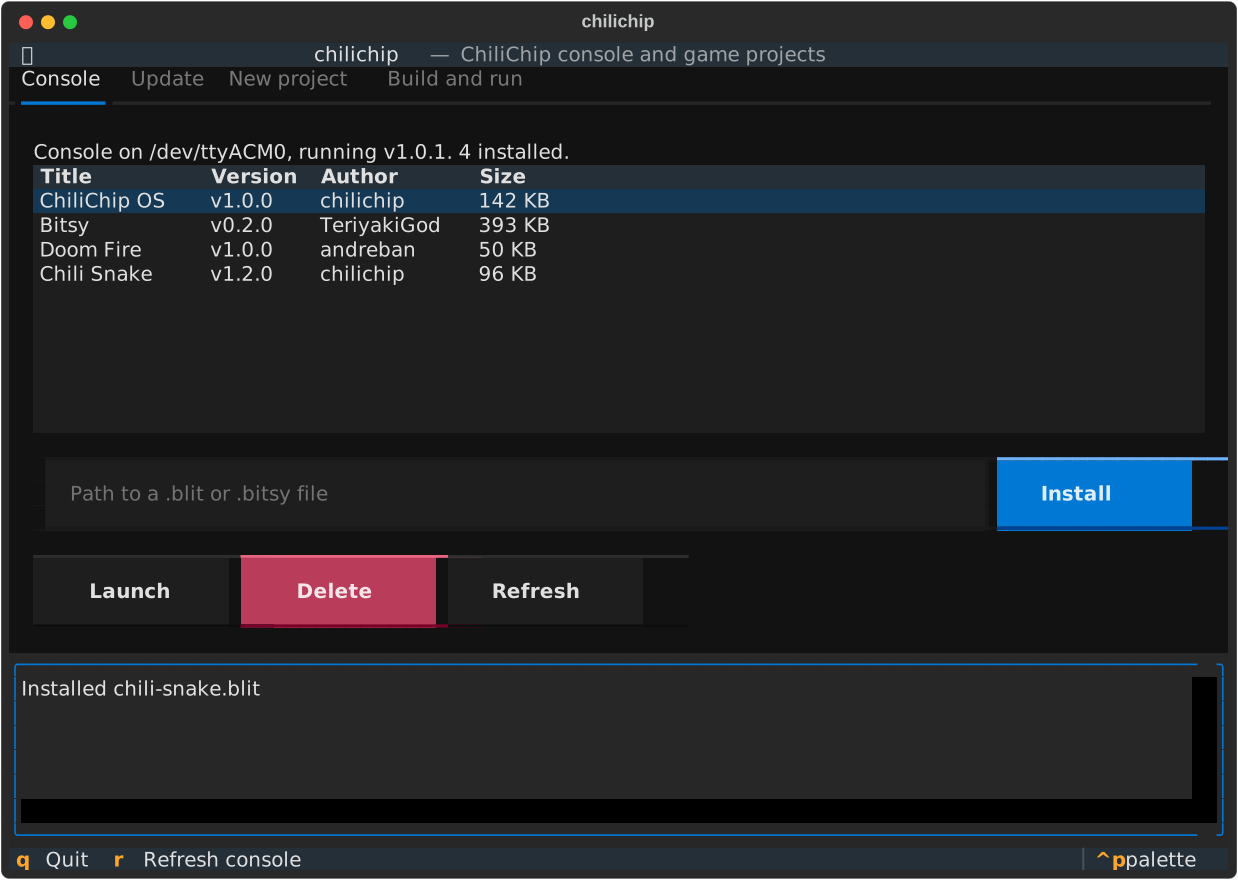
Quick start
pipx install https://github.com/chili-chip/chilichip-cli/releases/download/v0.8.0/chilichip-0.8.0-py3-none-any.whl
chilichip update                      # bring the console up to date
chilichip new space-cat && cd space-cat
chilichip run                         # play it on your computer
chilichip run --console               # play it on the console
See Install for the details, including the USB permission step on Linux.
How it fits together
flowchart LR
    you([You]) --> cli[chilichip<br/>CLI or TUI]
    cli -- GitHub releases --> gh[(32blit-sdk<br/>citsy-32blit)]
    cli -- cmake --> build[Your game<br/>out/build/...]
    cli -- USB serial --> loader[Console loader]
    cli -- UF2 copy --> bootsel[RP2350 BOOTSEL drive]
    loader --> flash[(Games in flash)]
loader --> drive[(CHILICHIP drive<br/>saves, .bitsy files)]- Firmware comes from the latest 32blit-sdk release (loader and home screen) and the latest citsy-32blit release (Bitsy player).
- Games go over USB serial to the loader, the same way
32blit installworks. - Builds use the CMake presets in the game template.
The 32blit command
chilichip is a fork of 32blit-tools. Installing it also gives you the 32blit command, which the SDK's CMake files call to pack images, fonts and maps into your game. See The 32blit asset tools.
Related docs
- ChiliChip Game SDK: how to write games.
- Flashing and the loader: the manual way to do what
chilichip updatedoes.